<HTML>
<HEAD><TITLE>Dishplayer Information Site</TITLE></HEAD>
<BODY>
<CENTER><STRONG>Dishplayer Information Site</STRONG></CENTER>
<UL>
<LI><A HREF="upgrade-howto.html">How to upgrade your dishplayers HD.</A>
<LI><A HREF="drives.html">List of functional drives in the dishplayer.</A>
<LI><A HREF="codes.html">List of codes for the dishplayer.</A>
<LI><A HREF="keyboard.html">Keyboard shortcuts for the dishplayer</A> (requires the latest software upgrade).
<LI><A HREF="limitations.html">Limitations or Bugs of the dishplayer especially Personal TV</A>
<LI><A HREF="dishplayer.zip">CCF with the new IR codes for the Displayer for use with the Pronto.</A>  WARNING:  Using this CCF file on your remote will make the old method of accessing PTV non-functional.  I.E. as soon as you can no longer use the regular arrow keys to control PTV.  See the <A HREF="codes.html">codes page</A> to learn how to switch back to the old remote.
<LI><A HREF="NewDishPlayer.zip">CCF File from Don that was done by learning with the Pronto, includes the Play button I didn't figure out.</A>  WARNING:  Using this CCF file on your remote will make the old method of accessing PTV non-functional.  I.E. as soon as you can no longer use the regular arrow keys to control PTV. See the <A HREF="codes.html">codes page</A> to learn how to switch back to the old remote.
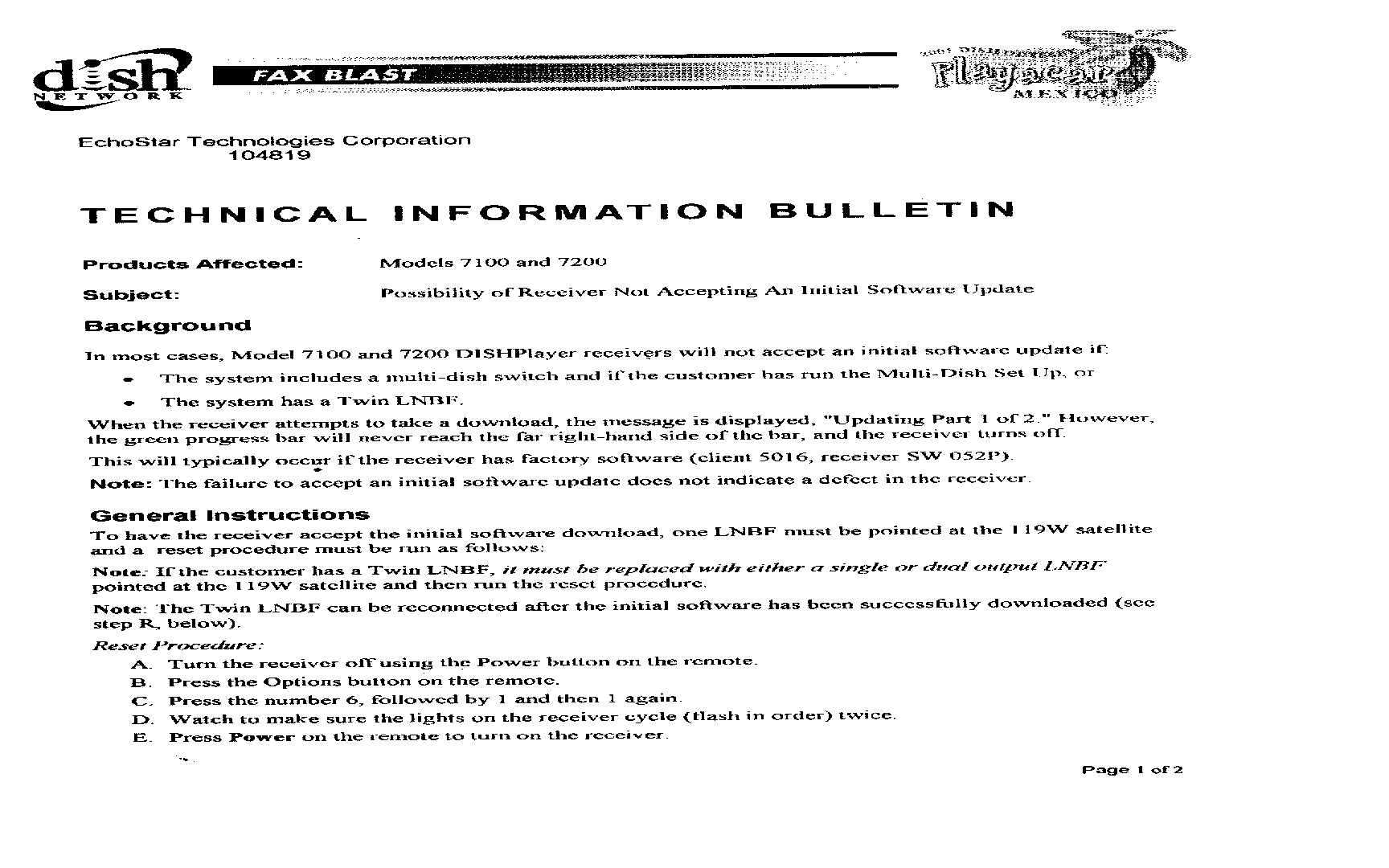
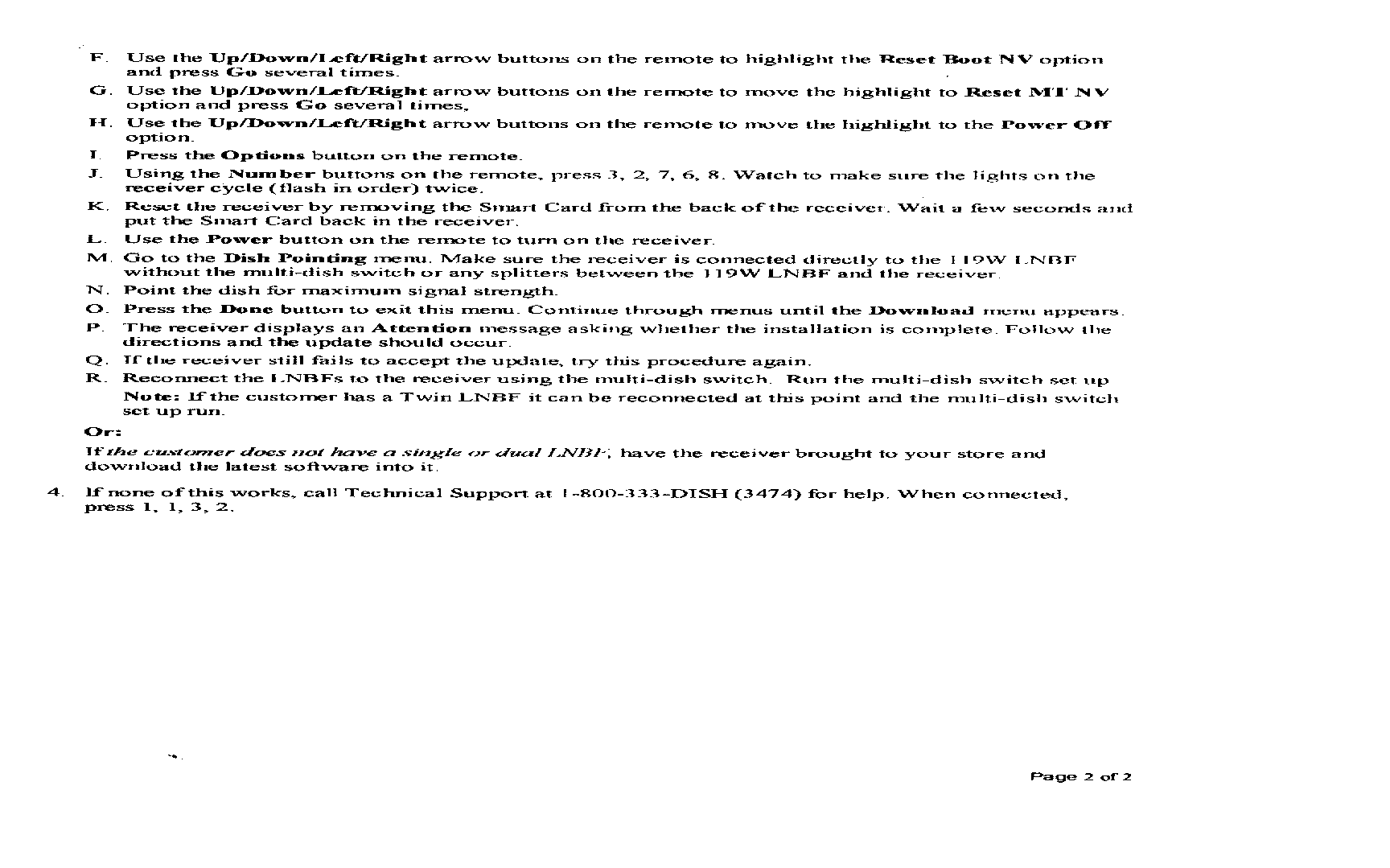
<LI>I received this technical document that Echostar sent out about software upgrades not working.  Some of you might be having this problem and I thought you might find it useful.  It's a image of the fax they sent out to their dealers.  So there are two images, <A HREF="instructions-page1.gif">page1</A> and <A HREF="instructions-page2.gif">page2</A>.
</UL><P>
If you have anything you think should be posted here just <A HREF="mailto:dish@reser.org">let me know</A>.<P>
</BODY>
</HTML>